App Notifications and Push Alerts: Genuine Help or a Nudge to Play More?
Are betting app notifications helpful or a nudge to play more? How push alerts shape behaviour and how to set them up on your terms, for players in Kenya.
Posted on 24th June
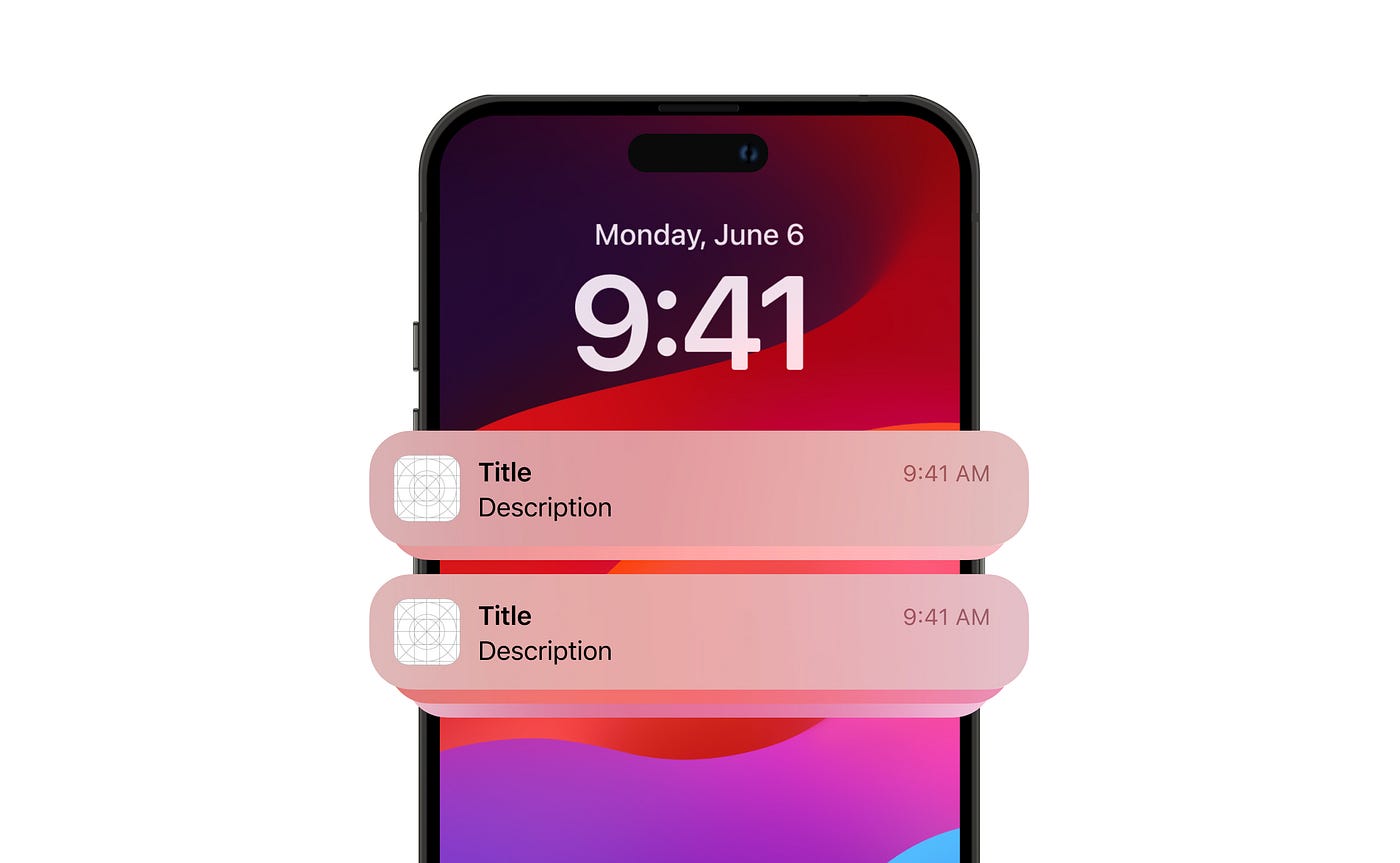
Your phone buzzes. The app has something to tell you — a match starting, a free bet waiting, odds that just moved. Notifications feel like a service, a helpful heads-up so you don't miss out. And sometimes they are exactly that. But notifications are also designed, deliberately, to bring you back to the app, and the line between a useful alert and a nudge toward playing more than you planned is thinner than it looks. The same buzz that informs you can also pull you in at a moment you'd otherwise have stayed away. Understanding what notifications are really doing — and taking control of them — is one of the simplest ways to keep play on your own terms. Before you fine-tune the alerts on the Harakabet app or any other, here's how to think about them. Let's break it down.
What Notifications Are Designed to Do
App notifications serve two purposes at once — informing you and bringing you back to the app — and these purposes don't always align with your interests. Seeing both sides clearly is the first step to using notifications rather than being used by them.
On the helpful side, many notifications genuinely inform. An alert that a match you follow is starting, that a withdrawal has completed, or that an event you bet on has settled is a real service — useful information delivered at the right time. These notifications respect your intentions: they tell you something you wanted to know, related to activity you'd already chosen. Used this way, notifications are a convenience that saves you checking the app constantly, and there's nothing problematic about them.
On the other side, many notifications exist primarily to re-engage you — to bring you back to the app whether or not you intended to return. Alerts about new offers, odds that have moved, events you haven't bet on, or simply reminders that the app is there, are designed to prompt a visit. This is not sinister; it's standard product design, and apps of all kinds do it. But it does mean a notification's purpose may be the app's interest in your engagement, not your interest in being informed. The buzz arrives because the app benefits from your return, not necessarily because you needed to know.
The key insight is that these two purposes look identical from the outside — both are just a notification on your screen. You can't always tell from the buzz itself whether it's serving you or the app. This is why a thoughtful approach matters: rather than reacting to every alert the same way, it helps to recognise which kind you're getting, and to set up your notifications so the helpful ones get through and the re-engagement nudges don't dictate your behaviour. Market observers note that notification design is one of the most powerful tools apps use to drive engagement, precisely because a nudge is so easy to act on.
How a Nudge Becomes Overplay
Re-engagement notifications can quietly lead to playing more than intended, because they prompt action at moments you wouldn't otherwise have chosen. Understanding this mechanism shows why notifications deserve conscious management rather than passive acceptance.
The core dynamic is that a notification creates an impulse that wasn't there before. You weren't thinking about playing; the buzz arrives, mentions an offer or a match, and now you're opening the app. The decision to play didn't come from you deciding it was a good time — it came from an external prompt landing at a random moment. This is the heart of how a nudge becomes overplay: it inserts opportunities to play into moments you'd otherwise have spent elsewhere, multiplying the occasions on which you might bet beyond what you'd have chosen on your own.
Timing makes the effect stronger. Notifications can arrive at any moment — during a quiet evening, a break, a time you'd set aside for something else. A prompt that catches you bored or restless is far more likely to pull you in than one you'd have ignored when busy. And because the prompt is external, it bypasses the natural friction of you deciding, on your own, to open the app. That friction is a useful brake; notifications remove it, making the path to playing more frictionless than you might want it to be.
There's also the cumulative effect of frequency. A steady stream of re-engagement alerts keeps the app constantly present in your attention, normalising frequent returns. Each individual notification seems harmless, but together they shape a pattern of checking and playing more often than you'd consciously choose. This is exactly why notifications deserve deliberate attention: not because any single one is harmful, but because their cumulative pull, unmanaged, can drift your behaviour beyond your intentions without you ever deciding to play more.
Taking Control of Your Notifications
The good news is that notifications are fully under your control, and setting them up deliberately lets you keep the helpful ones while removing the nudges. This is a simple, powerful step that puts you back in charge of when you engage with the app.
The basic principle is to keep notifications that serve your intentions and switch off those that serve only re-engagement. Most apps and phones let you customise notifications in detail — turning off promotional and re-engagement alerts while keeping functional ones like withdrawal confirmations or updates on events you've actually bet on. The distinction to apply is simple: does this notification tell me something I chose to be involved with, or is it trying to pull me back in? Keep the former, silence the latter. This single act of curation removes most of the nudging while preserving the genuine usefulness.
Beyond selective settings, broader controls help too. You can turn off notifications entirely and check the app only when you decide to, which restores the natural friction of choosing to engage on your own terms. You can silence them during certain hours, so a late-evening prompt doesn't catch you at a vulnerable moment. Or you can disable just the promotional category while keeping account-related alerts. In a mobile-first setting like Kenya, where the app is always in your pocket, these controls are especially worth setting up, because the app's presence is constant and the notifications are the main way it reaches into your day.
The deeper principle is to decide when you engage with the app, rather than letting the app decide for you. A notification is an invitation to play on the app's timing; taking control of notifications means playing on yours. This isn't about avoiding the app — it's about ensuring that when you open it, it's because you chose to, not because a buzz prompted you. That shift, from reacting to prompts to deciding for yourself, is the whole point, and it's a small settings change that makes a real difference to staying in control.
Table: Notifications — Keep or Silence?
| Notification type | Keep or silence | Why |
|---|---|---|
| Withdrawal or account update | Keep | Functional, you need to know |
| Event you bet on settling | Keep | Relates to your own activity |
| Match starting (one you follow) | Your call | Useful if you chose to follow it |
| New offers and promotions | Consider silencing | Designed to re-engage, not inform |
| Odds moved / events you didn't bet on | Consider silencing | A nudge to play, not a service |
Setting Them Up on Your Terms
Setting up notifications on your terms is a quick task that pays off every day, by ensuring the app reaches you only when it's genuinely useful. Take a few minutes to go through the notification settings, both in the app and on your phone, and apply one simple test to each type: does it inform me about something I chose, or does it try to bring me back? Keep the functional and self-chosen alerts, and switch off the promotional and re-engagement ones. This curation removes most of the nudging in a single sitting.
If you'd rather not sort through categories, the simplest approach is to turn notifications off entirely and check the app when you decide to. This restores full control: you engage on your own timing, not the app's. Whichever route you choose, the goal is the same — to make sure that opening the app is your decision, prompted by you, not by a buzz designed to pull you in. It's a small change to your settings, but it's one of the most effective ways to keep play deliberate rather than prompted, and entirely on your own terms.
Conclusion
App notifications sit on a line between genuine help and a nudge to play more. Some genuinely inform — a withdrawal completing, an event you bet on settling, a match you follow starting — and these are a real convenience. Others exist mainly to re-engage you, prompting a return to the app at moments you wouldn't otherwise have chosen, and it's these that can quietly drift your behaviour beyond your intentions by inserting opportunities to play into your day and removing the natural friction of deciding for yourself. The two kinds look identical from the outside, which is exactly why a thoughtful approach matters.
The reassuring part is that notifications are fully under your control. A few minutes in the settings lets you keep the alerts that serve you and silence those that serve only the app's engagement, or turn them off entirely and check the app on your own timing. The principle throughout is simple: decide when you engage, rather than letting a buzz decide for you. The next time your phone lights up with an alert, you'll know which kind it is — and with your notifications set up on your terms, opening the app will be your choice, not a prompt's.
FAQ
Are betting app notifications helpful or designed to make me play more?
Both, depending on the notification. Some genuinely inform — like a withdrawal completing or an event you bet on settling — and are a real convenience. Others exist mainly to re-engage you, such as promotional alerts or notifications about events you didn't bet on, and are designed to bring you back to the app. The two look identical on screen, which is why it helps to recognise and manage them deliberately.
How can notifications lead to playing more than I intended?
They create an impulse that wasn't there before. You weren't thinking about playing, but a notification arrives and prompts you to open the app, inserting an occasion to bet into a moment you'd otherwise have spent elsewhere. This bypasses the natural friction of deciding for yourself, and a steady stream of such alerts normalises frequent returns, gradually drifting your behaviour beyond what you'd consciously choose.
How do I take control of app notifications?
Go through the settings in the app and on your phone, and apply a simple test: keep notifications about activity you chose (withdrawals, events you bet on), and silence those designed to re-engage you (promotions, odds alerts for events you didn't bet on). Alternatively, turn them off entirely and check the app only when you decide to. The goal is to engage on your own timing, not the app's.
Related:
All Articles
- How Many Champions League Titles Has Arsenal Won? The Most Detailed and Accurate Answer with Bóng Đá INFO - Arsenal has never won the Champions League. Discover their best runs, the heartbreaking 2006 final vs Barcelona, and current hopes under Mikel Arteta for European glory. [updated: 2026-08-07]
- What teams are in the Big Six? An overview of the six biggest powers in the Premier League - Discover the Premier League Big Six teams: Manchester United, Liverpool, Arsenal, Chelsea, Manchester City and Tottenham. Explore history, style and influence of England's top clubs. [updated: 2026-08-07]
- Africa Cup Of Nations And The Comprehensive History Of Development - Explore the Africa Cup of Nations history, competition format, traditional powerhouses like Egypt, Cameroon, Ghana, and the tournament impact on African football. [updated: 2026-08-07]
- Biography of footballer Cong Vinh – The journey of Vietnam’s legendary striker - Le Cong Vinh is Vietnam's legendary striker and all-time top scorer. Relive his historic header in the 2008 AFF Cup final and his journey to football greatness. [updated: 2026-08-07]
- What Is A Deep-Lying Forward? The Important Role Of A Modern Attacking Player - Learn what a deep-lying forward is, their key characteristics, tactical role in modern football, and famous players like Messi, Firmino, and Benzema who mastered this position. [updated: 2026-08-07]
- Nguyen Tien Linh – Biography And Career Journey - Explore Nguyen Tien Linh's biography, from his youth at Binh Duong to becoming Vietnam's star striker. Relive his goals in World Cup qualifiers and regional glory. [updated: 2026-08-07]
- Total Football Tactics And Their Historic Legacy On Socolive - Explore total football tactics, their key characteristics, influence on modern football, and how top teams use positional rotation and possession control to dominate matches. [updated: 2026-08-07]
- Jürgen Klopp – The Architect Of Emotional High-Press Football - Jürgen Klopp's 'Heavy Metal' football transformed Liverpool into champions. Explore his Gegenpressing philosophy, emotional leadership, and historic legacy. [updated: 2026-08-07]
- The Best Penalty Takers And The True Masters Of The Spot Kick - Discover the best penalty takers in football history including Ronaldo, Messi, Lewandowski, Jorginho, Bruno Fernandes, and Harry Kane. Learn what makes a great spot-kick specialist. [updated: 2026-08-07]
- How Old Was Mbappé When He Won the World Cup? Reliving the Historic Triumph at 19 - Kylian Mbappé was just 19 when he led France to the 2018 World Cup title. Relive his historic journey, explosive pace, and clinical goals on football's stage. [updated: 2026-08-07]
- What Is 7-a-Side Football Called? Interesting Facts About This Exciting Format - Learn what 7-a-side football is called, its tactical differences from 11-a-side, the rise of amateur competitions, and how to get involved in this exciting format. [updated: 2026-08-07]
- Detailed review of B52 Club: a premium reward‑exchange entertainment playground - B52 Club is a high‑class reward‑exchange entertainment platform featuring a diverse game library, a modern interface, and strong security. This article provides a detailed review covering card games, mini-games, as well as deposit/withdrawal policies and customer support. [updated: 2026-08-06]
- Khám phá Nohu.shiksha/ cổng game nổ hũ uy tín cho người chơi Việt - Nohu.shiksha/ is a reputable online jackpot game portal with diverse games, high security and many promotions. This article guides you on how to play effectively, manage your bankroll and share experiences to optimize your winning chances. [updated: 2026-08-06]
- How to Recover Over-Under Losses: Truth About Methods - Learn how to recover over-under losses with proven strategies for sic bo betting. Master prediction techniques and avoid common gambling pitfalls effectively. [updated: 2026-08-06]
- The Truth About Nohu90 PAGCOR Certified Architecture - The truth about Nohu90 reveals a sophisticated PAGCOR-certified digital ecosystem with advanced encryption, specialized infrastructure, rewards, mobile app and future tech for secure gaming. [updated: 2026-08-05]
- Digital Transformation of Traditional Vietnamese Gaming Mechanics - Explore how modern Xóc Đĩa Online platforms blend traditional Vietnamese mechanics with high-tech infrastructure, ensuring transparent, secure, and immersive digital gaming experiences. [updated: 2026-08-04]
- Soccer's Stretch Run: August MLS Schedule and Betting Trends - Soccer's Stretch Run: August MLS Schedule and Betting Trends. Analysis of key fixtures, playoff implications, team form, and market trends for MLS bettors. [updated: 2026-08-04]
- Why Most Kenyan Bettors Underestimate What Their Platform Can Do for Them - KPL live markets, Aviator mechanics, M-Pesa speed and platform features most Kenyan bettors never use. A practical guide to getting more from online betting in 2026. [updated: 2026-08-04]
- KPL, Aviator and M-Pesa: How CaptainsBet Kenya Fits the Way Kenyans Actually Bet - Why CaptainsBet Kenya works for the way Kenyan bettors actually play in 2026. KPL live markets, Aviator with Auto Cash Out, M-Pesa deposits and welcome bonus explained. [updated: 2026-08-04]
- What Kenya's Best Bettors Know About Odds That Most Players Don't - Why odds are prices not predictions, where KPL markets are least efficient and how to find value on CaptainsBet Kenya in 2026. A practical guide for Kenyan bettors. [updated: 2026-08-04]
- First Half Betting: Understanding the Strategy and Value Behind First-Half Football Markets - Master first half betting strategies in football. Learn how to analyze team tactics, early-game performance trends, and key markets for better wagering results. [updated: 2026-08-03]
- Mastering Modern High-Performance Digital Gaming - Explore how hitclub enhances digital gaming with secure encryption, rapid payments, AI-driven scaling, fairness protocols, and optimized mobile accessibility. [updated: 2026-08-03]
- Top Bitcoin Casinos and Sportsbooks Compared - We share five top Bitcoin casinos and sportsbooks based on security, game variety, deposit and payout speeds, and range of supported cryptocurrencies. [updated: 2026-07-24]
- The Future of Online Betting in SA: Less Generous, More Competitive - South Africa's online sports betting industry faces new 20% GGR tax, leading to tighter promotions and sharper focus on value betting. [updated: 2026-07-13]
- Ultimate Guide To The C1 Cockfighting Tournament - The Ultimate Guide To The C1 Cockfighting Tournament hosted on FEBET represents the pinnacle of competitive avian sports. [updated: 2026-07-13]
- The Brutal Elegance of Victoria Mas’s Literary Debut: The Mad Women's Ball - Over 90% of readers find Victoria Mas’s debut novel to be a hauntingly vivid portrayal of the historical mistreatment of women within the 19th-century Salpêtrière hospital. [updated: 2026-07-06]
- Betting Sites with M-Pesa Support in Kenya: 2026 Safe Picks Guide - Compare betting sites with M-Pesa support in Kenya, from 22Bet to BC.Game and crypto-first casinos with wallet workarounds. [updated: 2026-07-04]
- Lionel Messi Golden Boot Odds: Goals, Form, and Knockout-Stage Pressure - Lionel Messi leads the 2026 World Cup Golden Boot race with 6 goals heading into knockouts. [updated: 2026-07-01]
- Paripesa Kenya app download installation and mobile system optimization - Discover how to safely download and install the official paripesaapp.com platform on your Android or iOS device in Kenya today. [updated: 2026-06-30]
- Paripesa Kenya product architecture sports coverage and digital casino features - Explore the extensive sportsbook markets and modern casino gaming options available at paripesawin.com for digital players in Kenya. [updated: 2026-06-30]
- Live Dealer Blackjack With Secure Automated Payout Enabled - Live Dealer Blackjack introduces a real-time casino environment powered by HD streaming technology with secure automated payouts at Game bài đổi thưởng. [updated: 2026-06-28]
- One Good Spin and the Hope People Carry Into Casino Nights - One Good Spin and the Hope People Carry Into Casino Nights. Hope often arrives before the game does. [updated: 2026-06-26]
- Football Betting Mistakes to Avoid: The Habits That Cost Bettors the Most Money - Football betting mistakes fall into two categories: analytical errors... [updated: 2026-06-26]
- Blackjack vs. Baccarat: Which One Is More Interesting to Play? - Blackjack vs. Baccarat: Which One Is More Interesting to Play? Casino games have been around for a long time... [updated: 2026-06-24]
- JiliGames on GameZone: 8 Smart Things Every Player Should Know Before Spinning - Discover essential JiliGames tips, exciting features, responsible gaming advice, and smart strategies for a safer, more enjoyable experience. [updated: 2026-06-24]
- App Notifications and Push Alerts: Genuine Help or a Nudge to Play More? - Are betting app notifications helpful or a nudge to play more? How push alerts shape behaviour and how to set them up on your terms, for players in Kenya. [updated: 2026-06-24]
- Decoding Bookmaker Odds Level 5 Clear Mind Guide - Decoding bookmaker odds (level 5) requires a clear mind to avoid being swayed by emotions. Analyzing football betting odds with context, form, lineups, and psychology for better insights. [updated: 2026-06-23]
- SC88 Sports: Important Notes Before Participating in Predictions - SC88 Sports and important notes before participating in predictions. Understand the rules, manage your budget, protect your account, and maintain a clear mind for responsible sports betting and football predictions. [updated: 2026-06-22]
- World Cup Odds 2026 - 4 Golden Secrets To Turn The Tide - World Cup odds 2026 - 4 golden secrets to turn the tide. Explore Asian Handicap, European odds, Over/Under, and corner kick betting with expert tips from KQBD. [updated: 2026-06-18]
- Trusted Jackpot Slots - Peak Experience With Absolute Safety - Trusted jackpot slots at Goal123 bookmaker - peak entertainment experience with absolute safety, international licenses, SSL encryption technology, and transparent big win opportunities. [updated: 2026-06-18]
- Complete Guide to Playing 5 Card Poker PG88 Effectively from A to Z - Complete guide to playing 5 Card Poker PG88 effectively, covering rules, hand rankings, advanced strategies, and beginner tips for better winning chances. [updated: 2026-06-18]
- Asian Handicap Betting Guide and Analysis - Asian Handicap - Accurate Handicap Analysis Before The Match. Intelligent betting system for team strength identification. [updated: 2026-06-18]
- 2026 World Cup Mascots: Who Are Maple, Zayu, and Clutch? - The 2026 World Cup mascots surprised many when FIFA introduced three official characters for the first time in history instead of a single mascot. Maple (Canada), Zayu (Mexico), and Clutch (USA) are not only fun symbols but also reflect the unique culture and identity of each co-host nation. [updated: 2026-06-18]
- Why I Ditched My Instincts and Started Looking at Numbers - Why I Ditched My "Instincts" and Started Actually Looking at the Numbers. Personal story on data-driven football betting vs gut feel. [updated: 2026-06-18]
- Why I Started Tracking Virtual Games Alongside My Football Bets - Why I Started Tracking Virtual Games Alongside My Football Bets. Virtual sports fill the gaps between real matches with constant action. [updated: 2026-06-18]
- A Beginner's Guide to Understanding Soccer Betting Lines - Soccer is one of the most popular sports for bettors across the United States. With leagues and tournaments taking place year-round, there are countless opportunities to place wagers on matches from around the world. [updated: 2026-06-17]
- Inside the Bet9ja App Boom: How It Became Nigeria's Betting Obsession - Walk down any street in Nigeria on a weekend when big football matches are on... [updated: 2026-06-16]
- Corner Handicap Betting At Go88: Ultimate Beginner's Guide - Corner handicap betting is one of the most popular and highly sought-after options when analyzing football matches. This type of wager requires a deep understanding of both teams' playing styles, wing-attack strategies, and their ability to generate corner kicks. [updated: 2026-06-13]
- Caishen Fishing at Go88: Ultimate Ocean Hunting Game - Caishen Fishing at Go88 delivers an exciting underwater adventure where players explore a colorful marine world and experience thrilling fishing challenges. This game combines beautiful visuals, interactive features, and engaging missions in an ocean filled with valuable creatures, powerful weapons, and endless excitement. [updated: 2026-06-13]
- What is Live Betting? The Secret Behind Over 100 of the Biggest Tournaments on the Planet - Kvibrating catAt the reputable 8XBET football betting system, this indicator appears as an important factor helping players identify match trends earlier than their competitors. [updated: 2026-06-11]